

Announcing new features through SmartFlow and Microsoft Teams integration
A New Level of Operational Efficiency Through the Integration of Work Management and Communication
We announced an integration between the next-generation workflow system SmartFlow and the business communication tool Microsoft Teams. This new function was developed to facilitate workplace communication, make decision-making faster and more responsive, and improve operational efficiency.
Background to the New Function
Fast, efficient communication and decision-making have become essential in today's business environment, and business chat tools play an important role in meeting this need. Microsoft Teams in particular is widely used as a platform that supports new ways of working and encourages collaboration by enabling meetings, chats, and document sharing in the cloud.
We therefore released this new function to simplify approval processes and further improve operational efficiency by integrating SmartFlow with Microsoft Teams.
Overview
Approvers usually handle large volumes of information, must manage several tools at once, and play an important role that also demands fast decision-making.
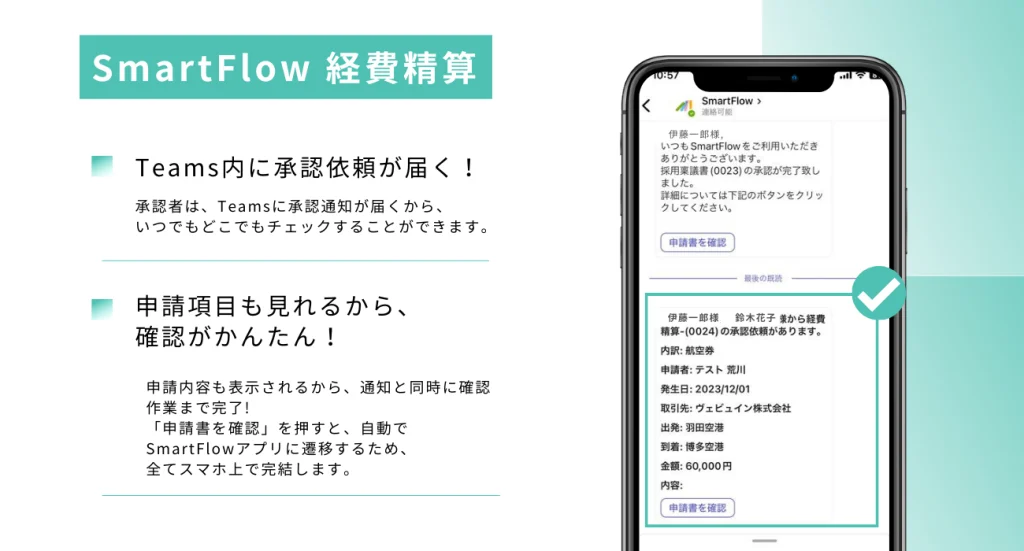
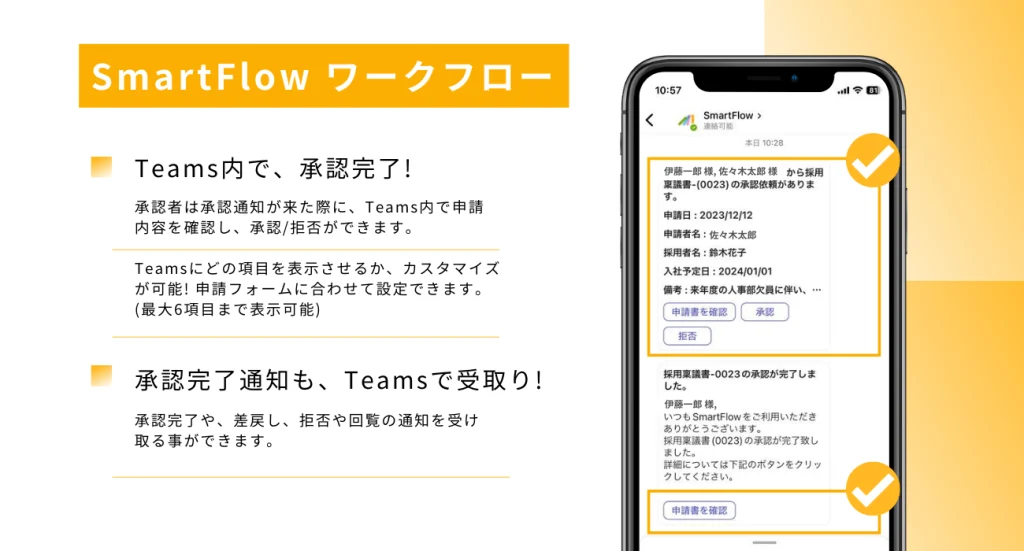
The new function lets approvers check individual approval notifications and request details directly in Teams. They can also approve or reject requests from the notification, removing the need to check SmartFlow separately every day. The approval process becomes more efficient and transparent, which is expected to accelerate operations.
1. Sign in to SmartFlow and turn on Microsoft Teams notifications.
→ In the Teams app, search for SmartFlow and click Add.
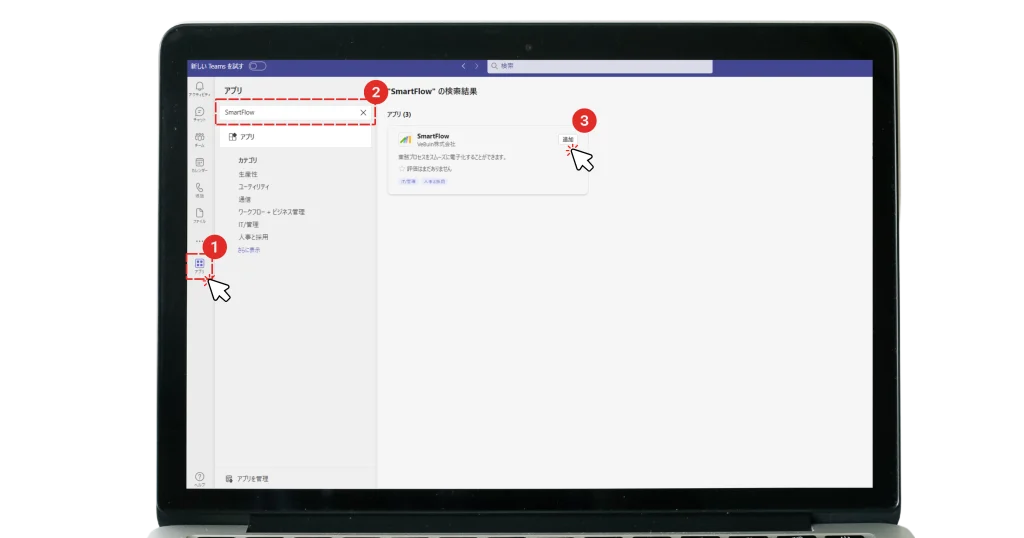
2. Add the SmartFlow app to Teams and complete the initial authentication by signing in to establish the integration.
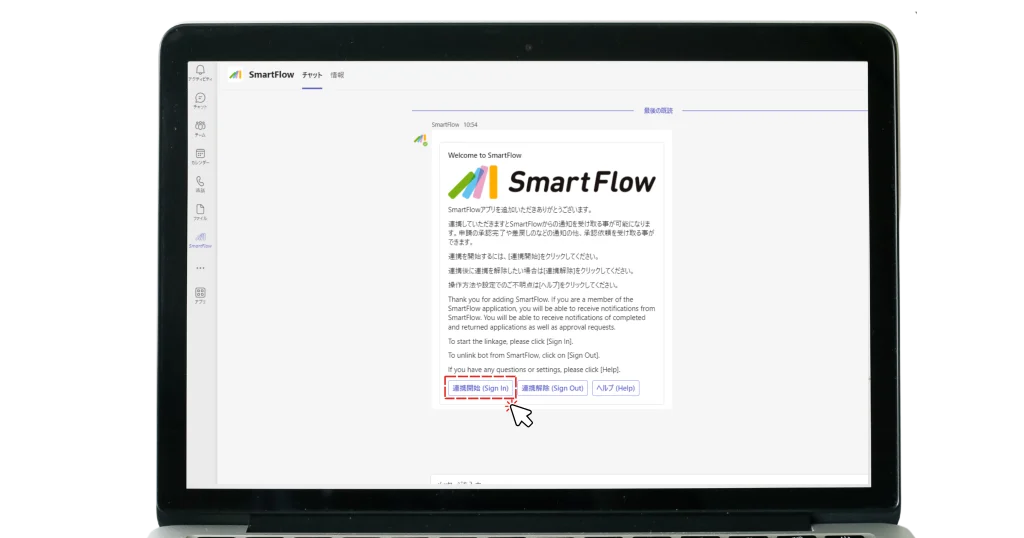
3. SmartFlow is added to the Teams menu and can then be used within Teams.
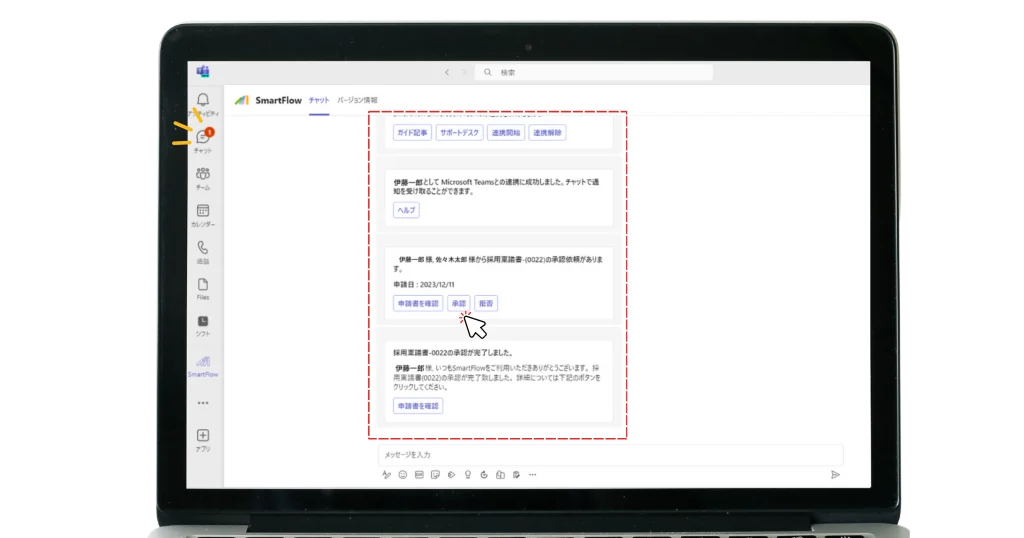
▶ Install the Microsoft Teams mobile app to check requests promptly while away from the office.
■Microsoft Teams
Microsoft Teams is a business communication and project management tool.
It is designed to strengthen teamwork within companies and offers chat, video and voice calls, and file sharing. Its integration with Office365 also provides access to applications such as Word and Excel. A mobile app makes it available while away from the office as well.
* Microsoft Teams, Teams, and Microsoft 365 are trademarks or registered trademarks of Microsoft Corporation in the United States and other countries.
VeBuIn corporate website: https://vebuin.com/